
Loading game...
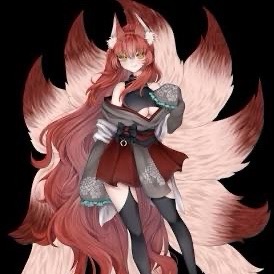 Natsumi Shimura
Animefy Sketchpad
Have you ever wanted to bring your simple doodles to life? With Animefy Sketchpad, you can instantly turn basic sketches into breathtaking, professional-looking anime art. This powerful browser-based tool combines traditional drawing features with an advanced AI backend to magically transform your creations in seconds. Whether you are a casual hobbyist or a dedicated manga fan, this interactive canvas offers a seamless and highly responsive experience without requiring any downloads. Draw directly on the grid, upload your own images, and explore vibrant color palettes to perfect your masterpiece. If you are looking to expand your creative toolkit, you can easily explore more ai photo tools right here on our platform.
How to Play Animefy Sketchpad
Using Animefy Sketchpad is incredibly intuitive and requires zero advanced drawing skills. Start by using your mouse or touchscreen to draw directly on the modern, grid-patterned canvas. You can adjust your brush size using the convenient slider and select vibrant colors from the categorized palettes, including skin tones, pastels, and neon shades. If you make a mistake, simply use the eraser or the handy undo button to manage your history state. Alternatively, you can upload a local image file to use as your base. Once your rough sketch is ready, click the Animefy Now button and let the AI art generator work its magic. After the transformation, press and hold the screen to compare your original drawing with the newly generated high-quality anime artwork, then use the built-in sharing feature to show off your character.
Tips & Tricks for Animefy Sketchpad
To get the absolute best results from Animefy Sketchpad, focus on drawing clear and distinct outlines. The AI art generator excels when it can easily identify your character's main features. Don't be afraid to experiment with the vibrant aesthetic palettes before generating, as the AI uses your chosen colors to set the mood of the final piece. Utilize the hold to compare feature frequently to understand how the AI interprets different brush strokes, which will help you refine your future sketches. Finally, try uploading rough concept art to quickly generate polished character designs. Ready for more creative magic? Check out our collection of similar ai photo tools to continue your artistic journey.

Unblock More Fun on Mobile!
Scan to Keep Playing!