
Loading game...
 maddduck gamer
FNF Update Announcement
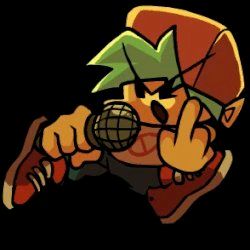
Welcome to the ultimate FNF Update Announcement Cutscene Unblocked tool! Whether you are a Friday Night Funkin' modder or an indie developer, this dynamic cutscene simulator is perfect for sharing your latest project news. Instead of boring static text, grab your audience's attention with a retro-styled, automated animation loop featuring the iconic Boyfriend sliding in, complete with nostalgic sound effects and a customizable typewriter text display. The dark purple radial background and bouncing badges create the perfect vibe for your next big reveal. Ready to get creative? You can also explore more rhythm games to keep your musical journey going strong.
How to Play FNF Update Announcement Cutscene
Using the FNF Update Announcement Cutscene tool is incredibly straightforward since it operates as a passive viewing experience mixed with simple interactive elements. When you launch the cutscene online free no download, simply tap or click anywhere on the screen. This initial interaction triggers a bright screen flash feedback and unlocks the looping background music and sound effects. From there, sit back and watch the infinite animation loop unfold. The typewriter text will spell out the latest news, accompanied by synchronized whoosh sound effects as the Boyfriend character slides into view. If you are a creator using the Sekai platform, you can utilize the iframe API to fully customize the text, colors, audio, and timing parameters to fit your specific Friday Night Funkin' update announcements.
Tips & Tricks for FNF Update Announcement Cutscene
To make the most out of your animated reveal, keep your announcement text punchy and exciting. The typewriter effect works best with short, impactful sentences that build anticipation. Experiment with the typing speed settings to match the beat of the looping background music. If you are customizing the template, ensure your text colors contrast well against the dark purple gradient background for maximum readability. Always test the audio sync to ensure the character's slide-in animation hits right on cue with the sound effects. Once your project is announced, discover other animation tools and simulators to bring your creative ideas to life.

Unblock More Fun on Mobile!
Scan to Keep Playing!