
Loading game...
 Maricel
G-Major Video Warper
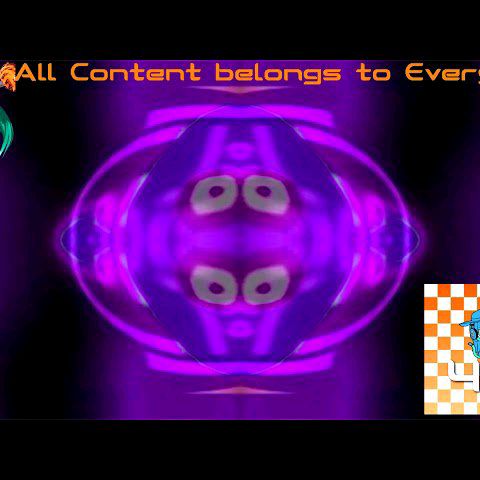
Looking for the ultimate video warper online? The G-Major Video Warper is a real-time visual distortion tool designed for meme creators, glitch art fans, and video editing enthusiasts. With this browser-based simulator, you can easily apply the famous G major effect to any clip instantly. There's no need to download heavy editing software; simply upload your own media or use the default clips to start experimenting. Featuring over 30 unique WebGL shaders, including deep fried and hue shift filters, this tool lets you mix multiple distortions for hilarious results. If you need a break from intense video editing, you can always explore more relaxing games to unwind and spark new creative ideas.
How to Play G-Major Video Warper
Mastering this G major effect maker is incredibly simple and entirely browser-based. First, open the G-Major Video Warper and choose your source material. You can either use the default clips provided or upload your custom video files directly through the file input button. Next, explore the grid of effect buttons on the dark, neon-accented interface. Click or tap to toggle specific WebGL shader effects like swirl, wild wave, or invert. You can activate multiple filters simultaneously to create complex, mind-bending visual distortions. Don't forget to try the global G Minor mode to instantly flip your color transformations. Once you're satisfied with your chaotic masterpiece, simply use the built-in capture tool to take a screenshot and share your creation with friends online.
Tips & Tricks for G-Major Video Warper
To get the most out of your G major video creations, try layering contrasting effects. Mixing a deep fried filter with a heavy swirl often produces the funniest glitch art. Remember that you can toggle the G Minor mode at any time to completely reverse the color palette, giving your video an entirely different vibe. Keep your uploaded files short, as smaller clips render much faster and are easier to loop for meme formats. Always capture screenshots of your best frames before resetting the canvas. Ready for a change of pace? Feel free to discover similar relaxing games that will help you chill out after a wild editing session.

Unblock More Fun on Mobile!
Scan to Keep Playing!