
Loading game...
 Maricel
G-Major Video Warper
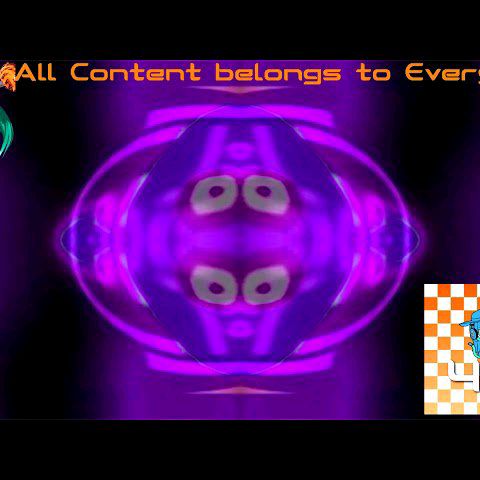
Dive into the chaotic world of internet meme culture with the G-Major Video Warper. It's your ultimate tool to instantly transform ordinary clips into hilarious, deep-fried masterpieces. Whether you are a dedicated YouTube Poop creator or just looking to make g major videos online free, this real-time WebGL application has everything you need. You don't need complex editing software; simply upload your file and apply up to 31 distinct visual filters directly in your browser. From intense hue shifting to mind-bending distortions, craft the perfect glitch art in seconds. If you love experimenting with unique visual effects, you can also explore more creative tools to elevate your digital art projects.
How to Play G-Major Video Warper
Learning how to use the G-Major Video Warper is incredibly simple and requires no prior video editing experience. First, use the upload button to select a local video file from your device, or start with the default video provided. Once your footage is loaded onto the real-time canvas, browse the grid-based control panel to select from 31 distinct visual effect modes. Click or touch any button to instantly apply the chosen G-Major effect to your playback. You can also toggle the global G Minor modifier to invert the transforms for an entirely different aesthetic. As the video plays, watch the intense visual distortions take over. Finally, when you capture the perfect cursed frame, use the screenshot feature to save and share your creation with friends. It's the best way to enjoy this video warper unblocked right from your browser.
Tips & Tricks for G-Major Video Warper
Maximize your meme-making potential with these simple tricks. First, experiment with high-contrast videos; the color inversion and hue shifting effects look much more dramatic when your base footage has strong lighting. Second, don't forget to toggle the G Minor modifier when a standard G-Major effect feels too intense, as it creates a smoother, eerie vibe. Third, pause the video at the exact moment of maximum distortion to capture the funniest screenshots. Finally, test different clips to see how the shader logic reacts to sudden scene changes. If you are ready for more editing fun, check out our other amazing creative tools to keep the magic going.

Unblock More Fun on Mobile!
Scan to Keep Playing!