
Loading game...
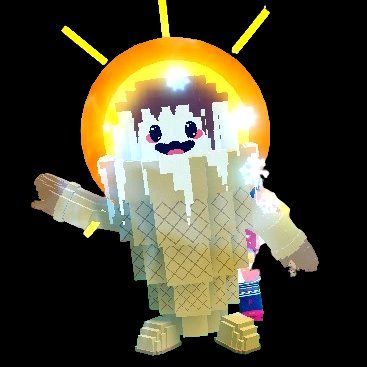 Cornettino Fuaco
Sprunki Jam
Welcome to the world of Sprunki Jam, the ultimate browser-based music creation simulator that lets you become a master beatmaker in seconds. Whether you're playing Sprunki Jam unblocked at school or home, this game offers an incredibly intuitive drag-and-drop interface. Simply place adorable animated characters onto the stage to mix beats, bass lines, melodies, and vocals into synchronized, looping tracks. It's the perfect sandbox experience for casual gamers and music lovers alike, requiring absolutely zero prior musical knowledge. If you're looking to unwind with more creative audio toys, you can explore more relaxing games right here. Start mixing your unique sounds today and share your musical masterpieces with friends!
How to Play Sprunki Jam
Learning how to play Sprunki Jam is incredibly simple and instantly rewarding. Start by browsing the character shelf located at the bottom of your screen, where you'll find eighteen unique audio-visual characters. Each adorable figure represents a specific sound category, such as kicks, snares, basslines, or vocal tracks. Using your mouse or touchscreen, simply drag and drop your chosen character onto one of the six available slots on the main stage. The moment they land, they'll instantly synchronize with the ongoing beat, bouncing and singing along to the procedural audio. To remove a sound, just drag the character back to the shelf. You can use the built-in transport controls to pause, play, or reset your entire mix. Don't forget to use the screenshot sharing feature to capture your custom stage setup and share your musical creations!
Tips & Tricks for Sprunki Jam
To create the best tracks in Sprunki Jam, start by establishing a strong foundation with a kick and snare character before adding complex melodies. This ensures your rhythmic core is solid. Next, experiment with contrasting sound types; mixing a heavy bass character with delicate vocal layers often produces unexpectedly catchy loops. Pay attention to the characters' dynamic moods, as their alternating smiles and frowns add a fun visual layer to your performance. Finally, try customizing the stage colors and BPM metadata to give your track a personalized vibe before capturing a screenshot. Ready for another chill session? Be sure to check out our collection of similar relaxing games for endless laid-back entertainment.

Unblock More Fun on Mobile!
Scan to Keep Playing!