
Loading game...
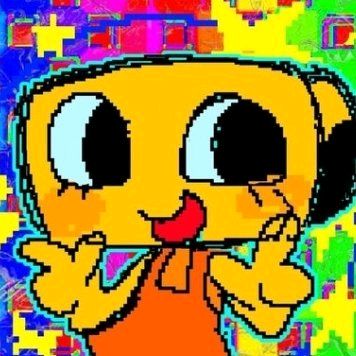 PARTY SHELLY
Toon Maker 3D
Dive into the creative world of Toon Maker 3D, a fully interactive avatar maker where you can design your perfect cartoon character from scratch. Forget standard 2D dress-up games; this immersive 3D character creator lets you customize every detail, from head shapes and facial expressions to vibrant colors and unique accessories. Built with powerful 3D graphics, the game features smooth idle animations that bring your custom character to life right before your eyes. You can easily rotate your model to view it from any angle, ensuring every detail is exactly how you want it. Whether you are a casual gamer or a character design enthusiast, this application offers endless possibilities. If you love getting creative with interactive tools, you can explore more simulation games that let your imagination run wild.
How to Play Toon Maker 3D
Getting started with Toon Maker 3D is incredibly simple and intuitive. Once you launch the application, you will see a clean, modern bottom tab menu featuring various customization categories. Tap or click on these tabs to browse through different head shapes, facial expressions, accessories, and color palettes. To see your character from different perspectives, just drag or swipe on the canvas to rotate the 3D model in real time. If you want a quick burst of inspiration, hit the randomizer button located on the top bar to instantly generate a completely random character. Once you are satisfied with your creation, use the built-in snapshot feature to capture a high-quality image of your 3D scene. The image comes with a subtle watermark, making it perfect for sharing your unique avatar with friends on social media.
Tips & Tricks for Toon Maker 3D
To get the most out of your Toon Maker 3D experience, try experimenting with unexpected color combinations to make your avatar truly stand out. Do not hesitate to use the randomizer button if you are feeling stuck; it is a great way to discover unique looks you might not have thought of yourself. Pay attention to the smooth idle animations, as they can help you decide if an expression fits the character's personality. Always remember to rotate the model fully before taking a snapshot to find the most flattering angle for your final image. Creating characters is just the beginning of the fun. When you are ready for your next digital adventure, check out similar simulation games to discover even more interactive experiences.

Unblock More Fun on Mobile!
Scan to Keep Playing!